- Dinner $48.00
- Groceries $34.00
- Airport cab $22.50
- Concert tickets $90.00
- Coffee $7.00
- Electricity $61.20
- Rent share $420.00
- Snacks $12.80
Money between friends should feel easy. Spill keeps the sums and the record, so nobody has to.
From a bill to settled, in three steps.
A look around Spill.
Real screens from the app. Keep scrolling and they deal themselves out.
- 01 Groups
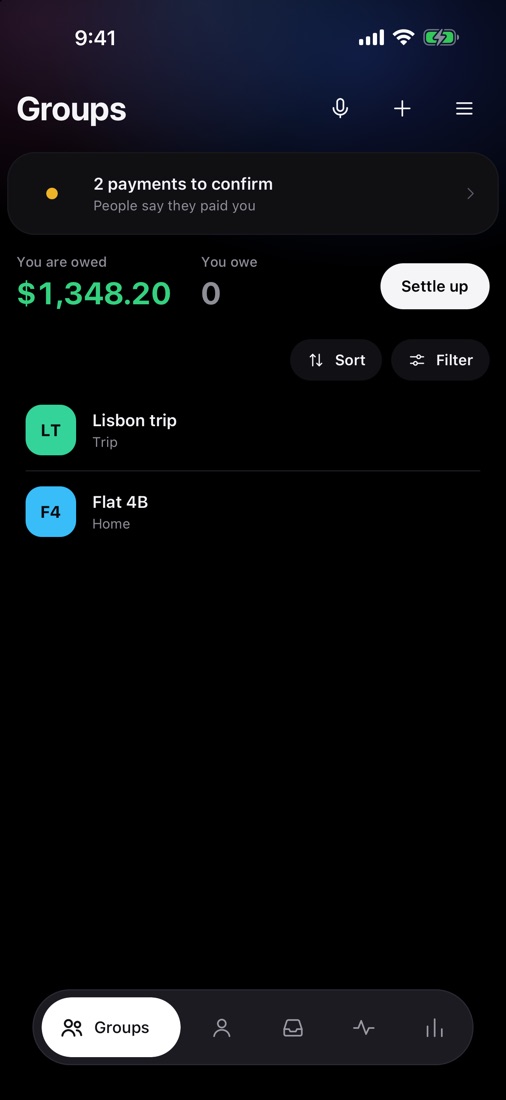
Every group, one balance
Trips, flats and nights out in one list, with what you are owed across all of them at the top.
- 02 Balances
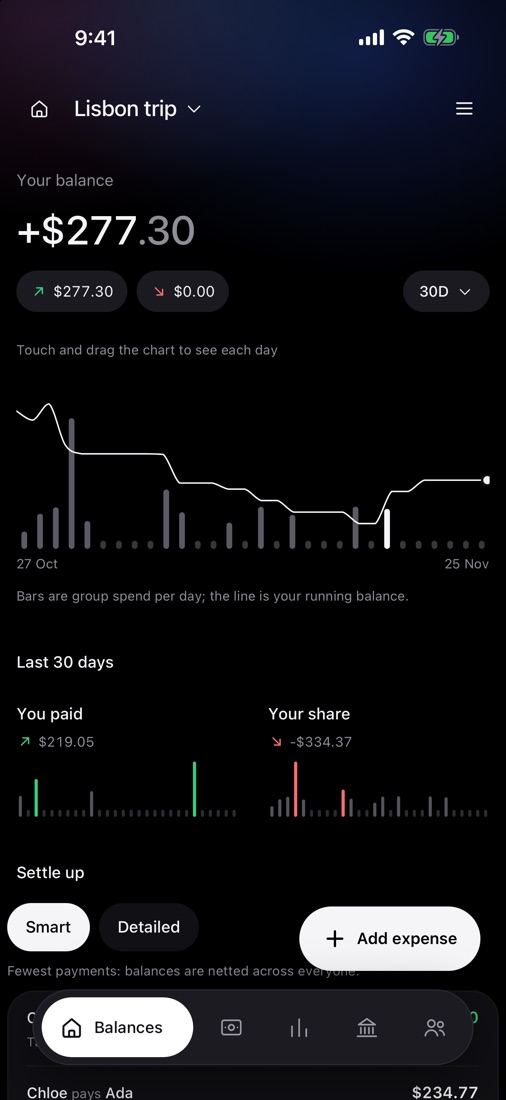
Inside a trip
Your running balance, day by day. Drag the chart to read any day, then add an expense in a tap.
- 03 Split
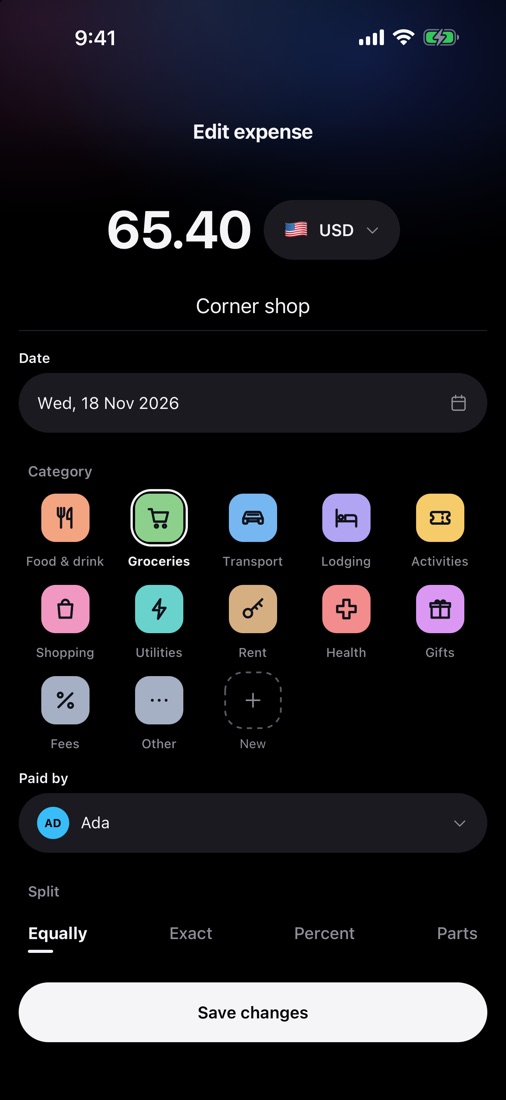
Split it your way
Equally, exact amounts, percentages or parts, with a running line that tells you what is still to give.
- 04 Insights
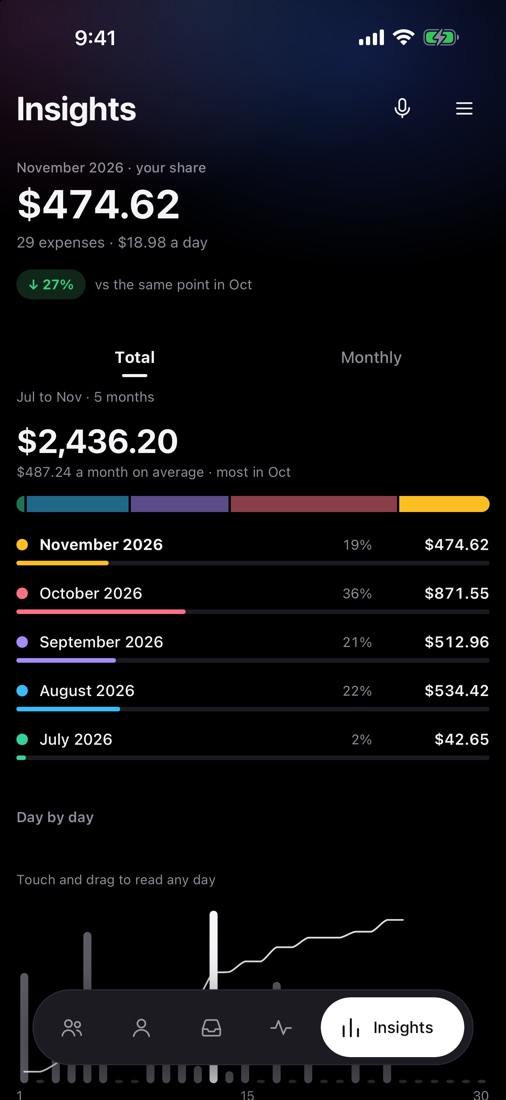
Know where it went
Your share by month and by day across every group, compared with the same point last month.
- 05 Spends
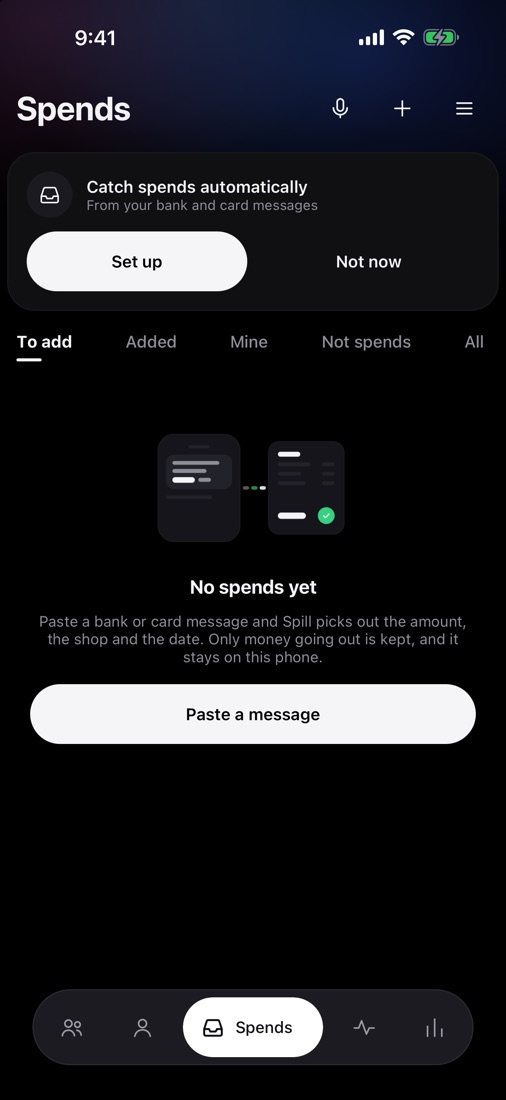
Bank SMS, caught for you
Paste or share a bank or card message, or turn on automatic reading. Spill picks out the amount, shop and date. Only money going out is kept, and it stays on your phone.
Built for trips, flats and nights out.
Everything a shared bill needs, and nothing more. Tap the split and settle-up cards to try them.
Split it any way
Equally, by amounts, percentages or shares, with a running line of what is left.
DinnerPaid by Sam$120.00- Sam$30.00
- Ada$30.00
- Ben$30.00
- Chloe$30.00
Everyone pays the same. Adds up to $120.00.
A thread per friend
Who paid, who owes, and a Settle up button when it is time.
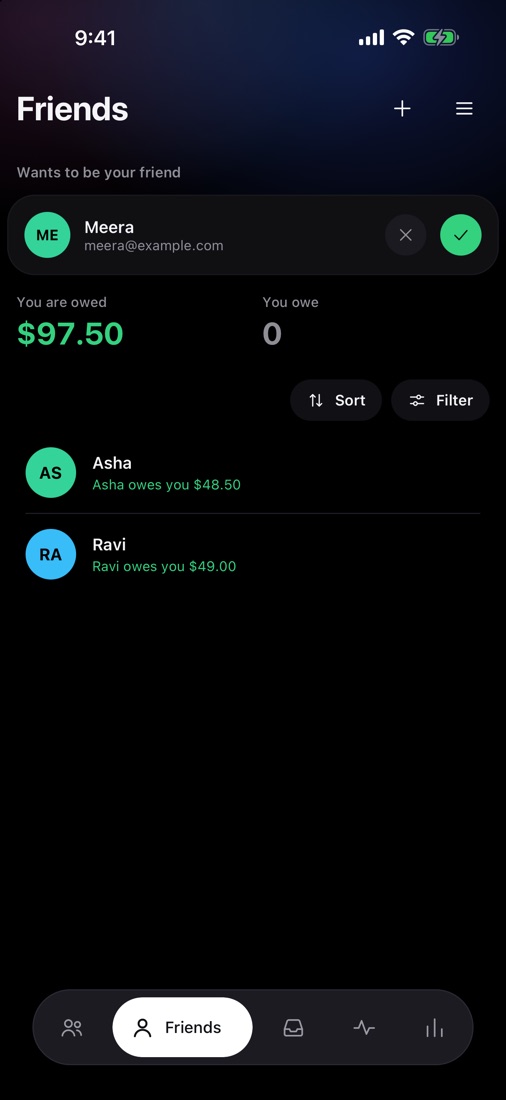
ASAshaAsha owes you $12.75SundayYou paid · Groceries$34.00 Asha paid you $17.00YesterdayYou paid · Dinner$48.00Asha paid · Cab$22.50Asha owes you $12.75Settle upFewest payments
Smart mode nets balances across the group. Detailed shows every line.
- Ada Sam$20.00
- Ben Sam$15.00
- Chloe Ada$10.00
- Ben Ada$5.00
- Chloe Ben$5.00
See where it goes
Your share by month and by day, in categories you can make your own, with CSV export.
206Jul423Aug561Sep954Oct293NovExport CSVShared cash pot
Trip kitty deposits and spends, tracked apart from bills people front.
Put in$400.00Spent$276.00Left$124.00Invite by link
Friends can be on the list by name; send a link when they should see the ledger.
SAADBE+ Lina, by namespill-bill.unfetterworks.com/join?k=…Share
Say what you spent. Spill writes it down.
Say “Dinner 240 with Sam and Lina”. Spill fills in the amount, the group and the split, and you check it before it is saved. Your voice is not recorded or kept.
- Works for groups, friends and your own “Just me” expenses, which show up in Activity and Insights
- Bank and card SMS are read for you: amount, shop and date, kept on your phone
Coming from Splitwise?
Export your groups from Splitwise and import the file in Spill. Your people, expenses and payments come across, balances included. Friends claim their own name when they join, so nobody starts from zero.
No signal? Keep splitting.
Add an expense with no signal and it is saved on your phone, counted in your balances, and sent once you are back online. On the free plan the daily limit still applies: the oldest go first and the rest wait their turn. Pro sends everything at once.
- Nothing yet. Add an expense, or go offline first.
Online. Expenses go straight to your server.
You choose who holds your ledger.
Use Spill Cloud, bring your own Supabase project (set up in about two minutes), or join a friend’s. Switch in one tap; each server keeps its own accounts and data.
Ready in a minute. Nothing to set up.
Free to start. Pay only if you want more.
Start free. Add Pro for no daily limit, or unlock a server of your own once. All the details.
Free
$0 always
On Spill Cloud, the server we run.
- Read every group, balance and chart
- 5 new expenses every day, even offline
- Track your own spending on this phone
- Add expenses by voice
- Join any server for free
Pro monthly
$1.99 a month
Cancel any time.
- No daily limit
- Your own expense tracker, backed up on every phone
- Voice commands for expenses
- More than two servers
- Budgets, reminders, exports and receipt scan
Pro yearlyBest value
$14.99 a year
37% less than paying monthly.
- Everything in Pro monthly
- One payment for the whole year
Bring your own Supabase
$12.99 per server
Set up your own server in about two minutes. One payment sets up one server.
- Your groups live in your own Supabase account
- Your data stays with you
- Your own expense tracker and voice commands included
- No Pro and no daily limit on your server
- Joining a friend’s server is free
Good to know.
Anything else? Write to founder@unfetterworks.com.
Do my friends need an account?
Not to be on the list. You can add someone by name and split with them straight away. They can join from a link or a QR code whenever they like and see the same ledger.
Where is my data kept?
On a server you choose: Spill Cloud, your own Supabase project, or one a friend runs. The Spill apps have no ads and no tracking SDKs. Your voice is not recorded or kept.
Can I bring my Splitwise groups?
Yes. Export a group from Splitwise as a CSV and import it from the + menu in Spill. People, expenses, payments and balances come across; when your friends join, they pick their own name and take over its history.
How do people sign in?
With Apple, Google or an email and password. On your own server, Sign in with Apple is on from the start, and Google takes about ten minutes to switch on from the app.
Is it free?
Yes to start. On Spill Cloud you can read everything and add 5 expenses a day for free; Pro lifts the limit. Setting up your own server is a one-time payment per server (about $12.99; your first is half price, the second 40% off, the third 20% off), and joining a friend’s is free. See pricing. Pricing.
Settle up, without the awkward maths.
Free to read and free to self-host. Start your first group in a minute.